Manage SE VPN server
You can manage your SoftEther VPN server either with Command Line Management utility vpncmd or with a SoftEther VPN server manager. You can get SoftEther VPN server manager both for Windows and Mac OS X. In this article I will use SoftEther VPN server manager for Windows.
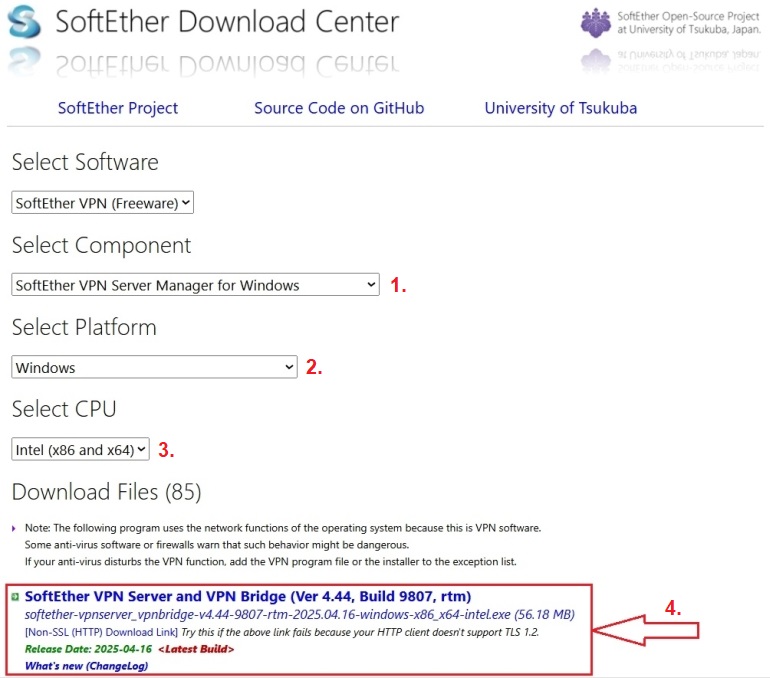
First download SoftEther VPN server manager from the official site. Select component, platform and CPU, and download the latest version. At the time of writing, the last version was 4.44-9807-rtm.
Then, install SoftEther VPN server manager and open it to configure it.
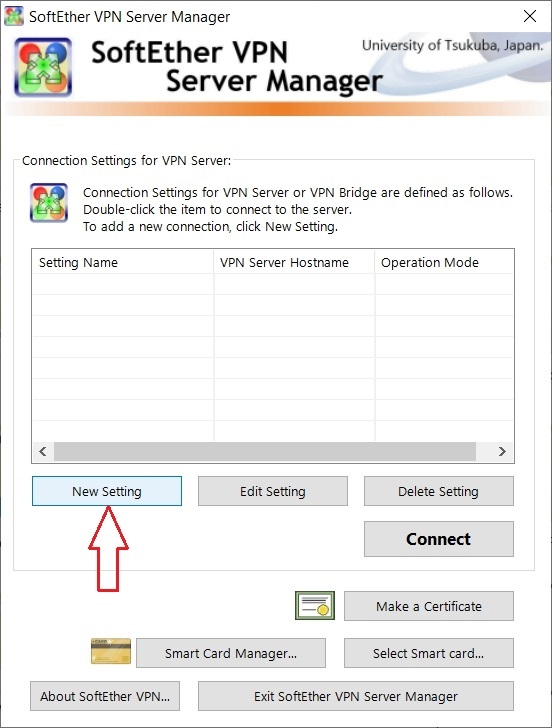
Click on "New Setting" button.
Enter a name for the connection, the IP address of your VPS, choose port number, enter the admin password for your VPN and press "OK" button.
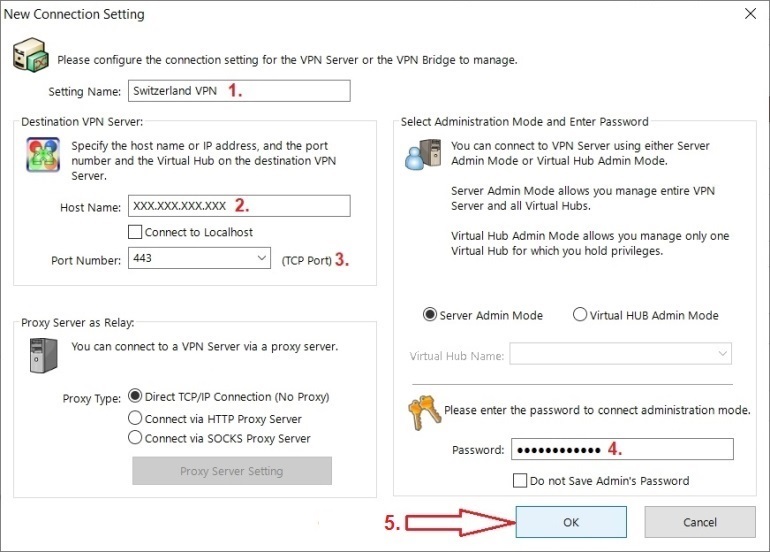
Replace "XXX.XXX.XXX.XXX" with the IP address of your VPS.
The new connection should be set up.
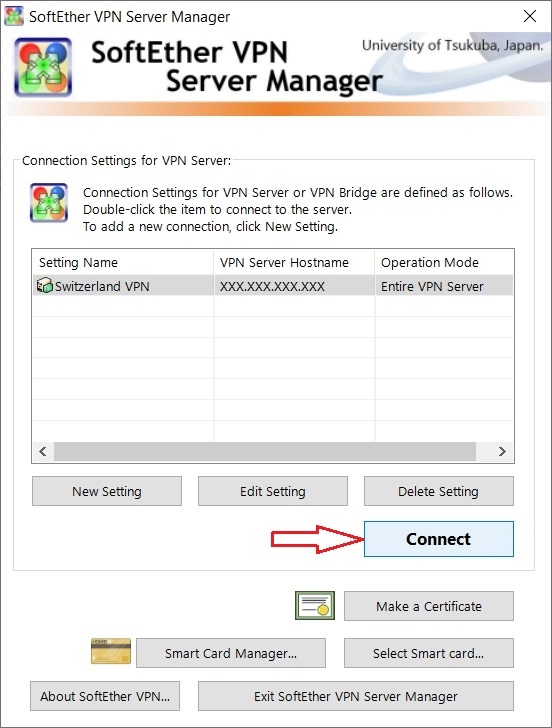
Click on "Connect" button, or double-click on connection to connect to your SoftEther VPN server.
Here can you manage your SoftEther VPN server.
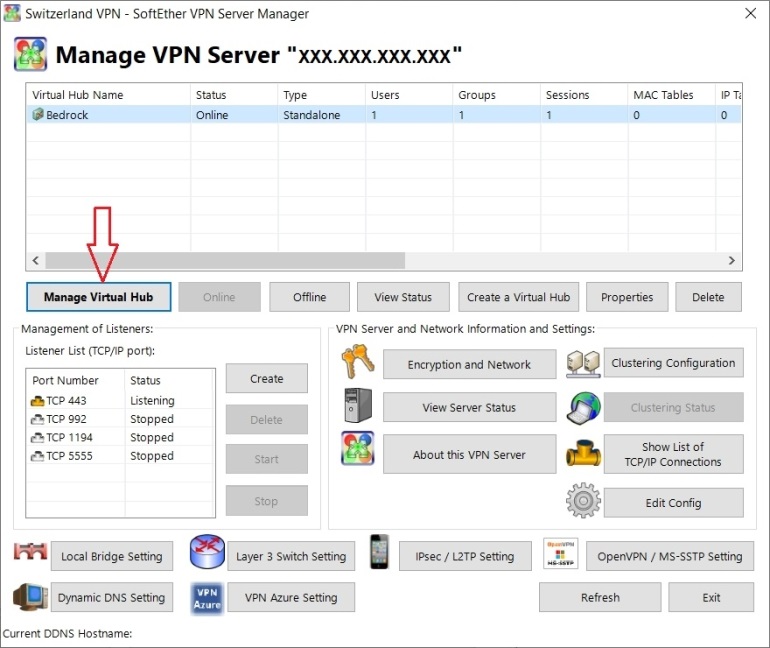
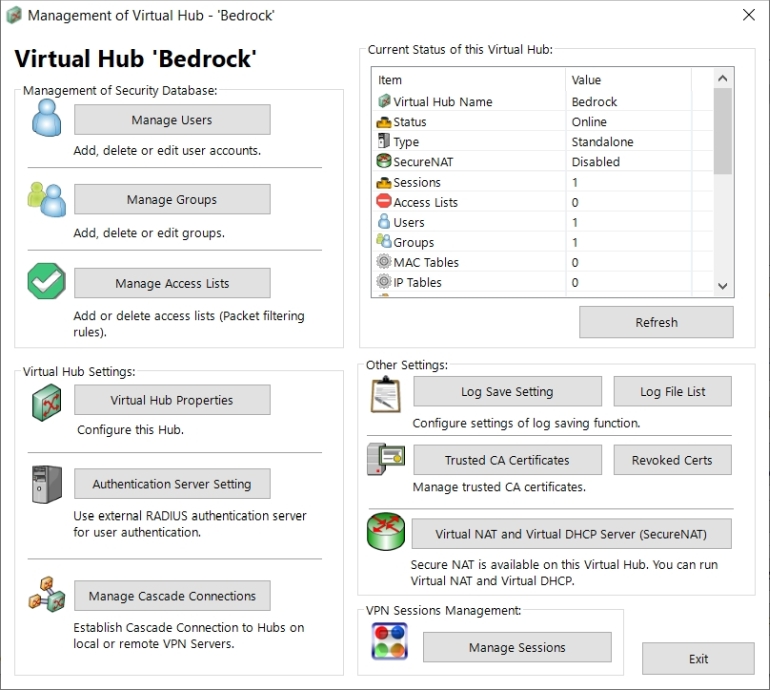
Click on "Manage Virtual Hub" button to manage your hub, in this example "Bedrock".
Here can you manage users, groups and so on.