

Install SoftEther VPN Server
In this article I'll show you how you can install SoftEther VPN server on your VPS. First I'll show you how you can install it manually (a basic installation, and setup of the VPN server with an user acoount), and in the end how you can do it automatically using one of my scripts.
Before you download SoftEther VPN, make sure it is legal in your country and/or the country your VPS is located in. In some countries it's illegal to use VPN software. If in doubt seek legal advice.
Before you start, make sure you have the necessary packages.
Download the tar.gz file. At the time of writing the latest version is 4.44-9807-rtm
Extract the archive.
Change to vpnserver and compile SoftEther VPN.
cd vpnserver
sudo make
Rename the vpnserver folder and move it to /usr/local.
cd ..
sudo mv vpnserver softether
sudo mv softether /usr/local
Set the necessary permissions for SoftEther VPN server files.
sudo chmod 600 /usr/local/softether/*
sudo chmod 700 /usr/local/softether/vpncmd
sudo chmod 700 /usr/local/softether/vpnserver
You can now start SoftEther VPN server.
sudo /usr/local/softether/vpnserver start
After installing SoftEther VPN server, the server admin password is not set. You have to use the Command Line Management utility vpncmd to set the admin password.
cd /usr/local/softether/
sudo ./vpncmd
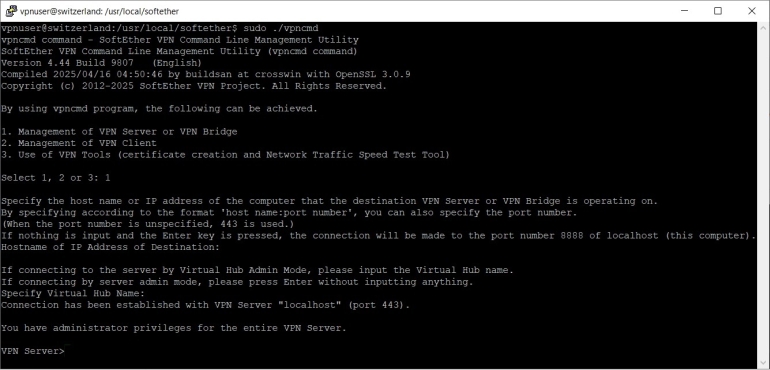
Press 1, then Enter and again Enter twice to accept the default settings and enter the server admin mode.
When you see the vpnserver prompt VPN Server> you can set the admin password.
ServerPasswordSet
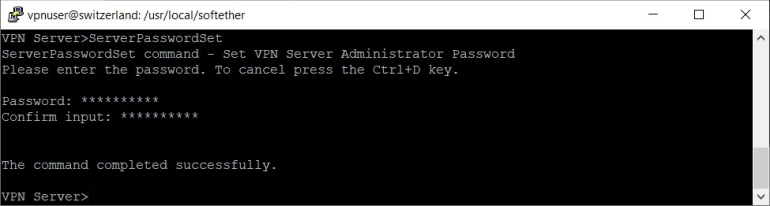
Enter admin password, confirm it and press Enter to set the password.
Softether VPN server comes with a default hub "DEFAULT". You can delete it before creating your own hubs.
HubDelete DEFAULT

Then, you create a virtual hub and set a password to manage it. I'll call it Bedrock.
HubCreate Bedrock
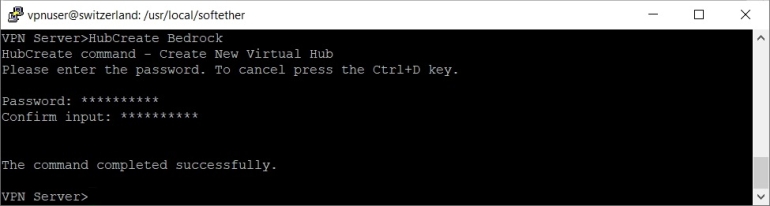
Enter the password, confirm it and press Enter to create the hub.
Next, change to your hub and create a group. Note that it is not necessary to create groups, but it will become more manageable over time if you add more users to your VPN and want to distinguish between groups of users.
Hub Bedrock
GroupCreate "The Flintstones"
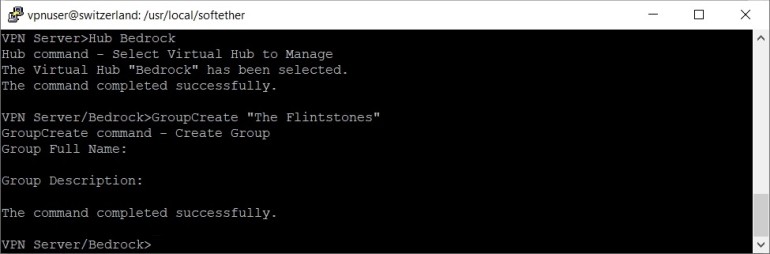
If group name contains spaces, you have to use quotation marks. When creating the group, you will be asked to enter the full name and a description of the group, but this is not necessary and you can leave them empty.
Now you can add users, and list them to check that everything is Ok.
UserCreate Fred /GROUP:"The Flintstones" /REALNAME:Flintstone /NOTE:none
UserList
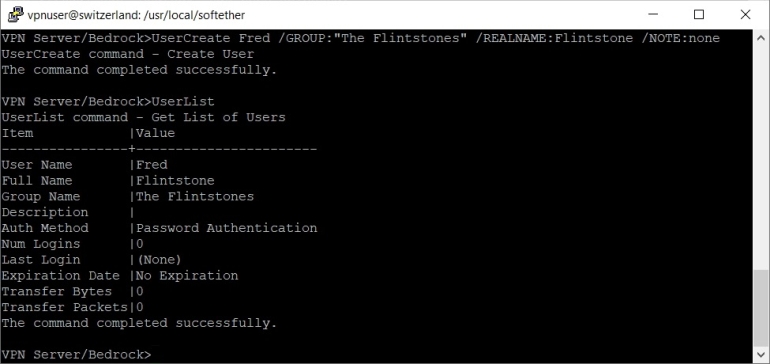
When adding users, you can assign the user to a group and specify a real name (full name) and description in one command. If you don't want to specify for example a description you can specify "/NOTE:none".
Finally, you have to set the password for the new user.
UserPasswordSet Fred
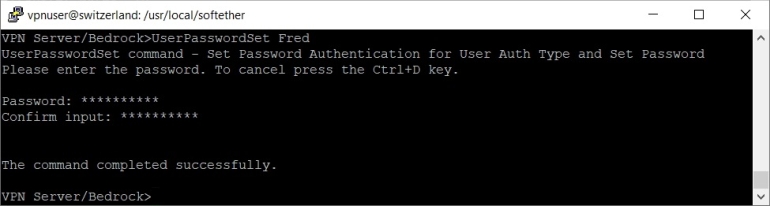
Enter the password, confirm it and press Enter to set the password.
Exit the Command Line Management utility vpncmd.
exit

Stop the SoftEther VPN server.
sudo /usr/local/softether/vpnserver stop
The HTML web interface and JSON-RPC server are enabled by default in SoftEther VPN server. If you go to https://XXX.XXX.XXX.XXX (after installing SoftEther VPN server), where XXX.XXX.XXX.XXX is your server's IP address, you will see something like this:
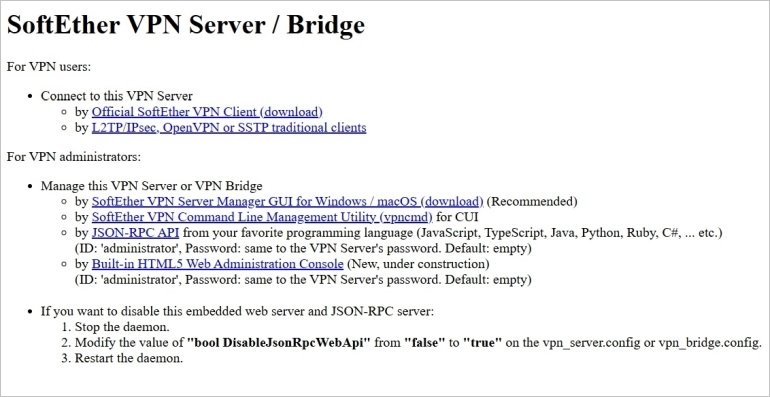
This is publicly available and anyone can see that there is a VPN server at this address. I think there is no need to tell this to the whole world, and the web interface should be disabled. To disable it, open /usr/local/softether/vpn_server.config in a text editor.
sudo nano /usr/local/softether/vpn_server.config
Find bool DisableJsonRpcWebApi false and change it to bool DisableJsonRpcWebApi true.
bool DisableJsonRpcWebApi true
Please note that you will not be able to manage your Softeher VPN server by JSON-RPC API anymore. You will have to use other tools, like SoftEther VPN server manager for Windows for example, or the Command Line Management utility vpncmd.
You should now reboot your VPS to apply all the new changes.
sudo reboot
As I said in the begining you can use one of my scripts to install the SoftEther VPN server automatically. You can also use the script to add users to your SoftEther VPN server. Download the script first.
sudo wget -nv https://private-vpn-setup.com/downloads/install-softether-vpn-server
Then run the file install-softether-vpn-server.
sudo bash install-softether-vpn-server
If you get any error message while running the script, you will have to fix the errors manually before you can continue with the setup.